New: Member Activity & Role Filter!

Hello everyone! This update brings two new features at once: Member Activity, which tracks your server's growth, and Role Filter, which lets you exclude stats from roles you choose!
Member Activity
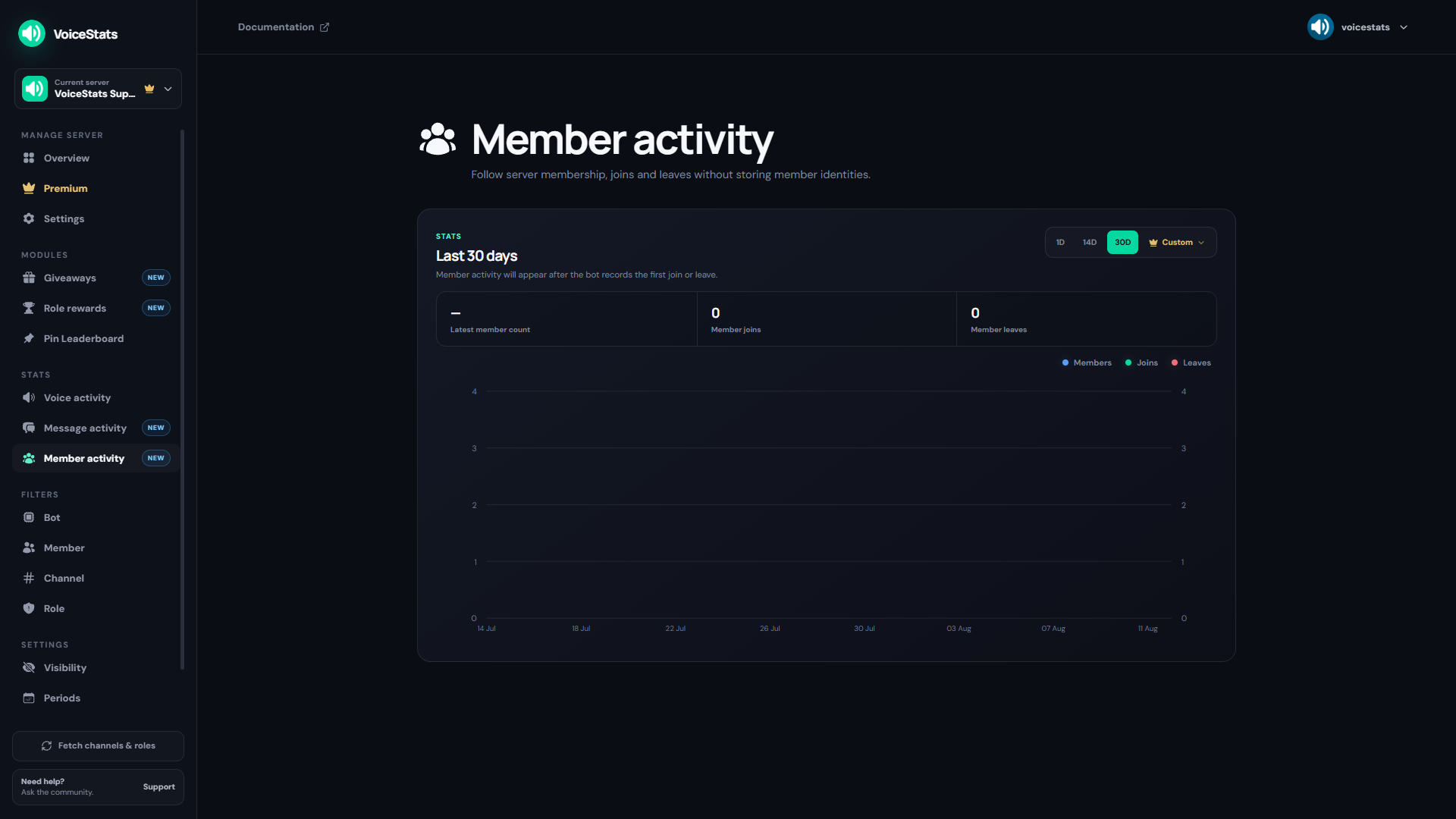
You can now track your server's member count, joins, and leaves both from a command and from the dashboard.
- /members chart: View your server's member count, join, and leave graph right in Discord.
- New Dashboard Page: The "Member Activity" page shows the same graph, along with total joins and leaves for your selected period.
- Period Selection: 1-day, 14-day, and 30-day ranges, plus a custom period with Premium — the same setup as our other stats pages.
Role Filter
If you don't want the stats of members with certain roles to be counted at all, you can now set that up with a single click.
- How It Works: Members with a role you've added to the filter won't have their new voice and message activity recorded.
- Existing Data Stays Safe: The filter only stops new activity — a member's previously accumulated stats and ranking entries are not deleted.
- Three Ways to Manage It: Manage it from the "Role" filter page on the dashboard, with the
/filter roles addand/filter roles removecommands, or from the "Role Filter" section in the/settingsmenu. - You can add up to 100 filtered roles per server.
Enjoy your voice chats!